



Your Security is a Shared Responsibility: Why You Must Enable 2FA Now
Dear WPressly Customers,
We want to assure you that our internal systems are fully secure. No vulnerabilities have been detected in our WHMCS or Server Control Panels.
⚠️ Security Alert:
Recent unauthorized access attempts are often due to compromised personal devices (malware/viruses) or leaked passwords. If a hacker has your password, the only way to stop them is by having Two-Factor Authentication (2FA) enabled.
Recent unauthorized access attempts are often due to compromised personal devices (malware/viruses) or leaked passwords. If a hacker has your password, the only way to stop them is by having Two-Factor Authentication (2FA) enabled.
How to Protect Yourself?
The solution is simple but critical: Enable 2FA. This ensures that even if someone has your password, they cannot login without your physical device.
1. Securing Your Client Area (WHMCS)
To protect your billing data and support tickets:
- Login, click “Hello, Name” and select Security Settings.
- Click the green button: Click here to Enable.
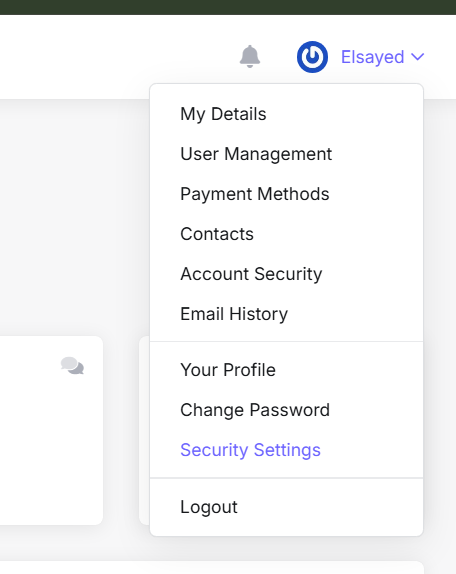
Select Time Based Tokens (compatible with Google Authenticator).
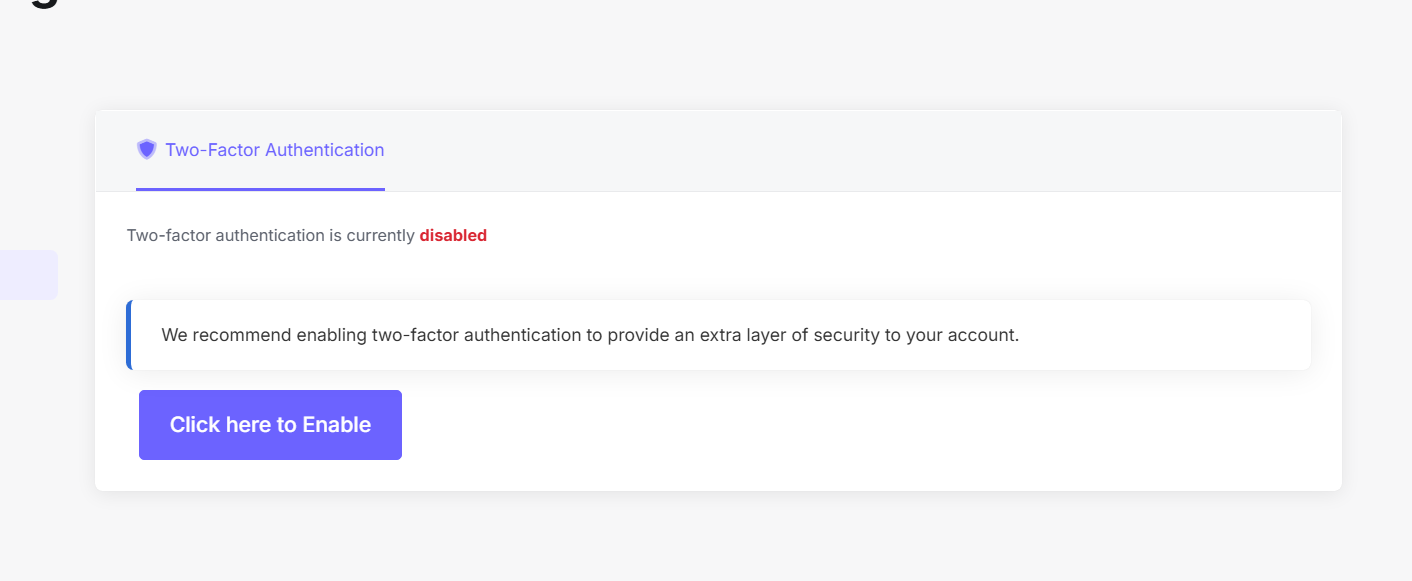
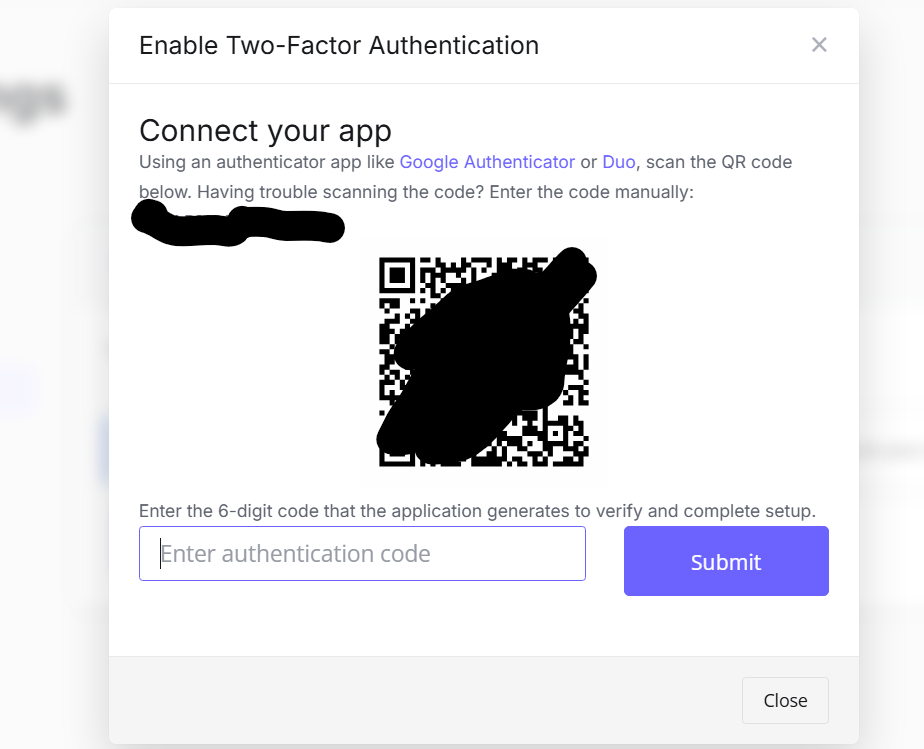
Scan the QR code and enter the 6-digit code to verify.
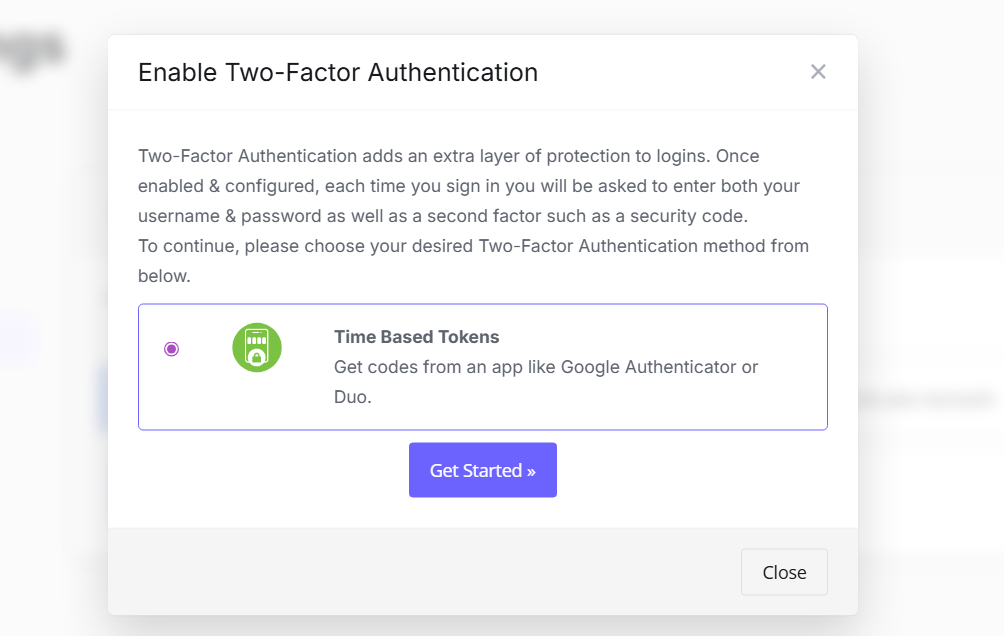
CRITICAL: Save the “Backup Code” in a safe place immediately. You will need this if you lose your phone.
2. Securing Your Server Panel ( CloudPanel )
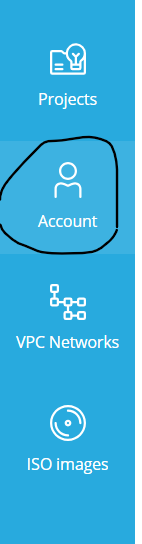
- From the dashboard menu, go to Account Settings.
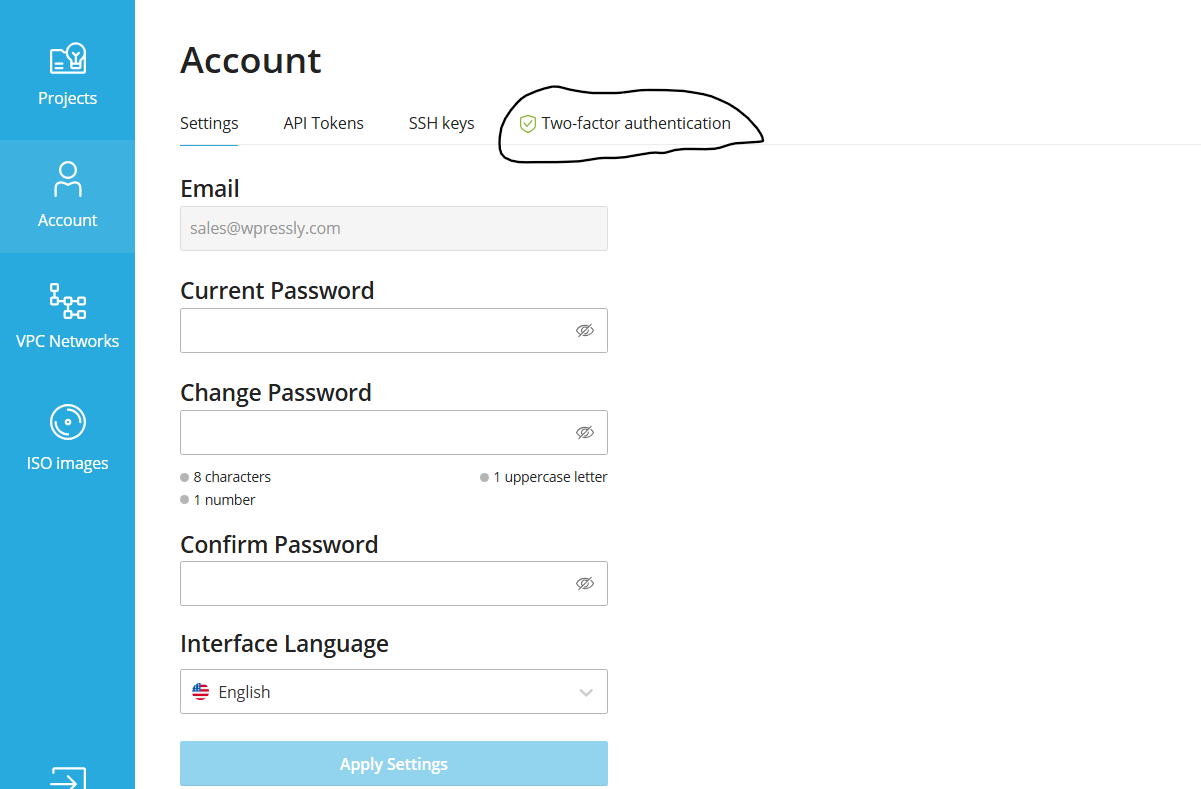
- Click on the Security tab and toggle 2FA to ON.
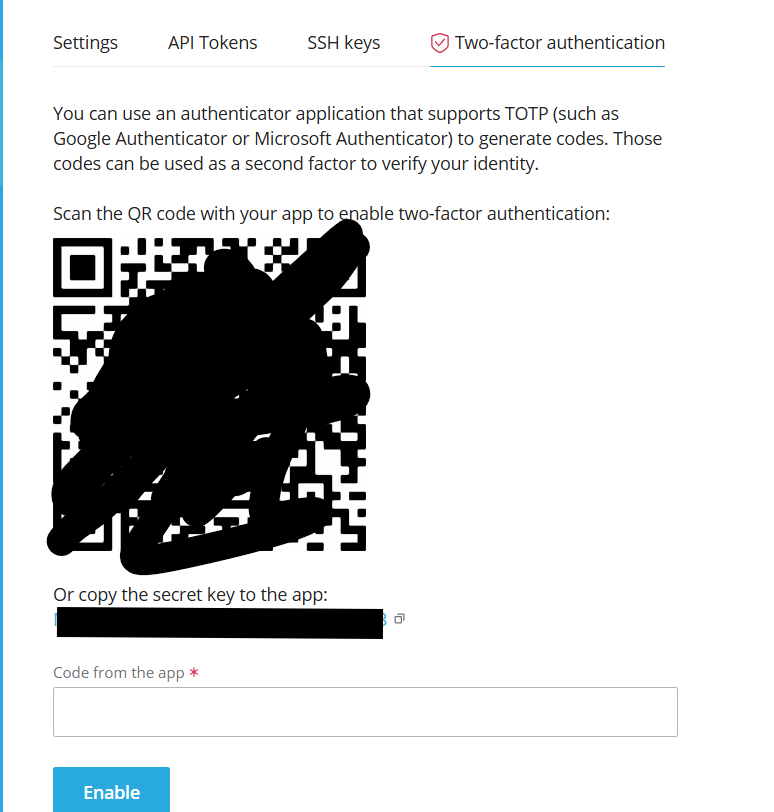
- Scan the QR code and confirm the token.